A little more headspace
Let your
mind wander.
The thought is worth keeping.
Murmur transcribes your voice on your iPhone, then files it in your own Notion or Obsidian.
Your first 50 ideas, free. iPhone & Apple Watch.
“Maybe the best ideas come when you take the long way home.”
Maybe the best ideas come…
Maybe the best ideas come when you take the long way home.
Less in your head. More in your notebook.
01 / From thought to note
Say it. Then go on with your day.
One small moment for you.
The rest takes care of itself.
- 01
Catch the thought.
One tap, and you’re recording. A reminder, a wild idea, a sentence you don’t want to lose.
- 02
Let it become words.
Your iPhone transcribes it, right on the device. Your original audio is saved first, every time.
- 03
Find it where you think.
A note in your Notion database or Obsidian vault, with the audio attached. Already at home.
02 / Made for the in-between
Life happens.
Ideas tag along.
On a walk. Between meetings. Halfway out the door. Your best thoughts rarely wait for you to open a notebook.
Murmur is a tap away, on your iPhone or your wrist. The Apple Watch captures your voice; your iPhone handles transcription and sync.
- Action Button
- Lock Screen
- Control Center
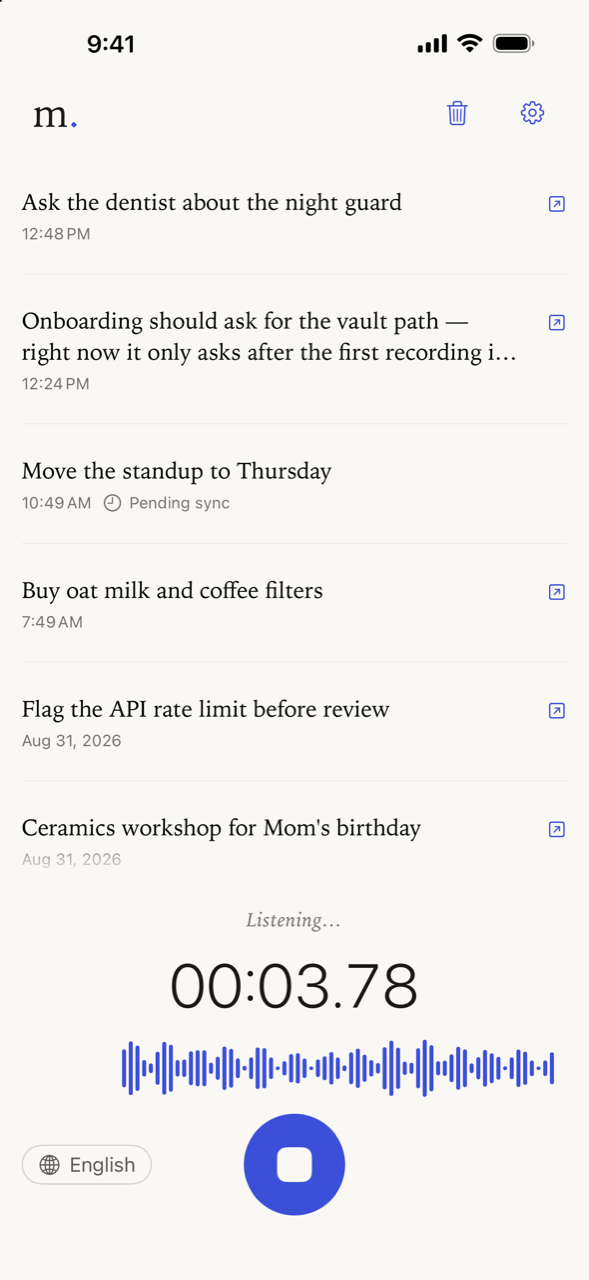
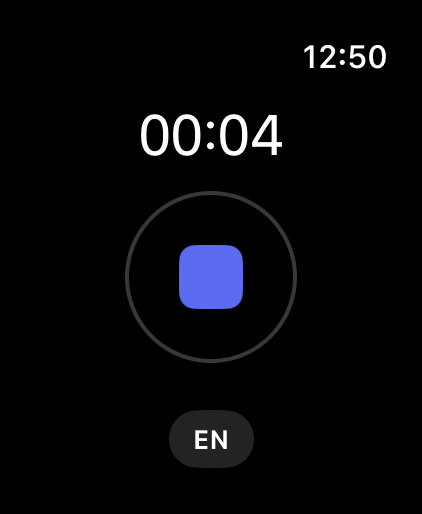
Or just a wrist away.APPLE WATCH, INCLUDED
On your device. In your words.
Transcription happens on your iPhone. No cloud transcription service hears your voice.
Your notes have a home. You choose it.
Keep them on your device, or send your audio and text directly to your own Notion or Obsidian.
Simply yours.
No Murmur account. No ads. No analytics. We don’t store your recordings on our servers.
A few good questions
Before your
first murmur.
What’s included for free?
Your first 50 ideas include everything — every language, Apple Watch, and automatic sync. That allowance is one-time; it never resets.
Murmur Pro unlocks unlimited new ideas with a monthly or yearly subscription. Your existing recordings and notes stay available when the free allowance runs out. See current pricing in the app.
Does it work without internet?
Yes. Recording and transcription work offline once the speech model for your chosen language is downloaded. Your audio is saved before transcription or sync begins. Notion sync waits for a connection; Obsidian notes are written to the vault folder you select.
Do I need Notion or Obsidian?
No. You can keep recordings and transcripts in Murmur. If you want automatic sync, connect your own Notion database or choose a folder in your Obsidian vault in Settings.
How does Apple Watch capture work?
Record from the Watch app or a Murmur complication on your watch face. Your Watch saves the audio and transfers it to the paired iPhone, where Murmur transcribes it and syncs it to your selected destination.
Good things start with a little thought.
Make room for
your next murmur.
50 ideas to begin. A little more headspace to keep.